Forex Cipher Free Indicators: Which Chart Tool Should You Try?
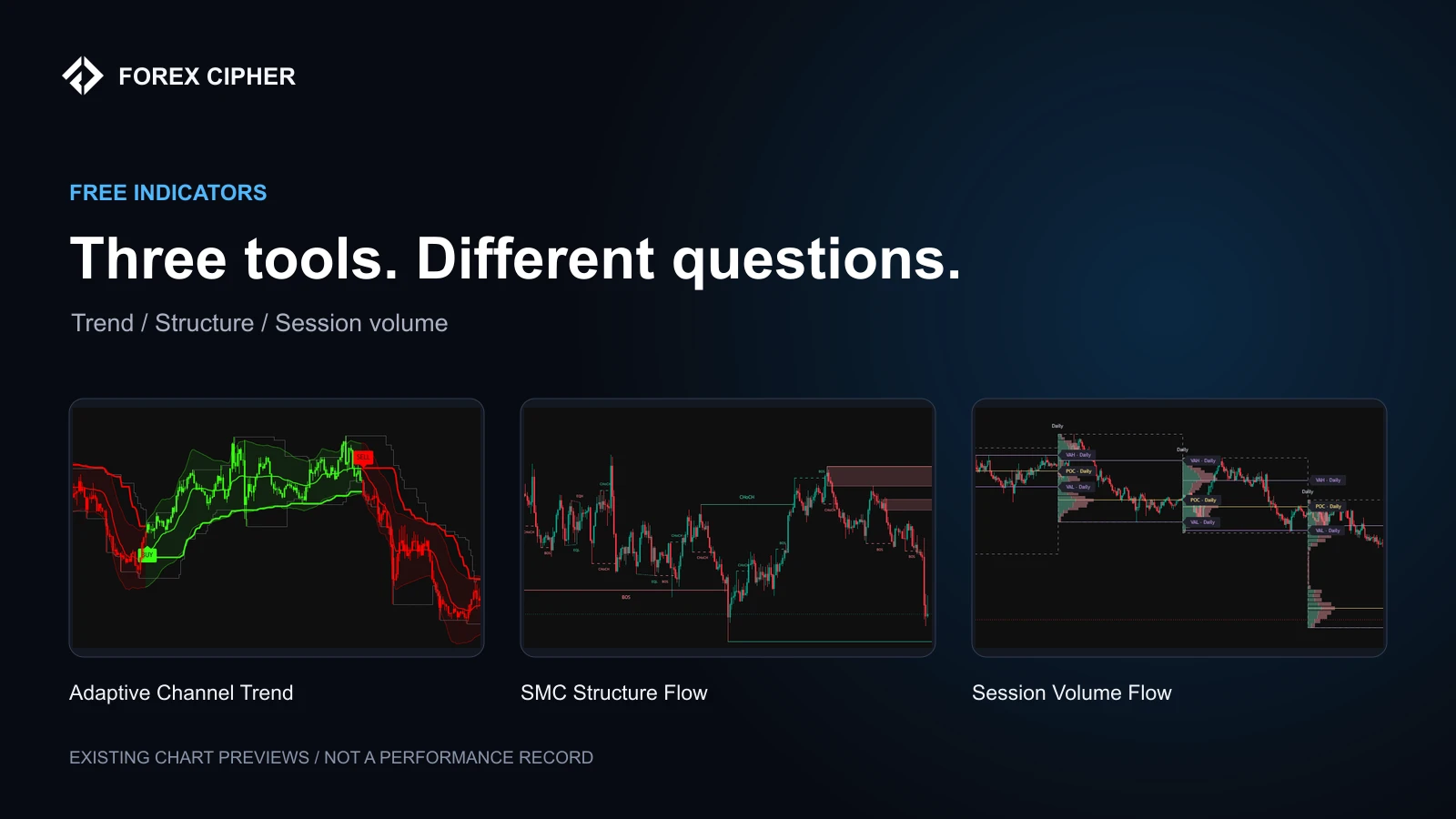
A useful indicator should answer a question you already have about the chart. If you cannot explain what you want to see more clearly, adding another overlay usually makes the chart harder to read.
Our free indicator library covers three different questions: how a trend is developing, where price structure has changed, and how recorded volume is distributed within a session. Here is where each tool fits, and how to try it without mistaking a chart label for a complete trading plan.
Adaptive Channel Trend: follow the changing trend
Adaptive Channel Trend combines an adaptive trend display with BUY and SELL labels, color-coded candles and a compact dashboard. It is a starting point when your question is about direction and the channel around price.
Look at several types of market behavior, including sideways periods. A tool that looks clear during a sustained move can produce a much less useful sequence of labels when price keeps changing direction. Review those sections before deciding how, or whether, a label belongs in your rules.
SMC Structure Flow: make structure easier to inspect
SMC Structure Flow displays break-of-structure and change-of-character levels, order blocks, and equal highs and lows. It helps put those chart concepts into a visible framework.
The labels describe the indicator's interpretation of price structure. They are not direct evidence of a particular institution's orders or a promise that price will reverse. Read the tool's explanation and compare the markings with the underlying candles.
Session Volume Flow: examine the session profile
Session Volume Flow focuses on session volume profiles, including the point of control and value-area price levels. Use it when your question concerns where the chart's recorded activity is concentrated.
Volume information depends on the market and feed. Check what your data source measures before treating the profile as a view of the entire market. A level drawn from one feed should not be assumed to match every broker or venue.
A simple way to choose
- For a trend-and-channel view, start with Adaptive Channel Trend.
- For structural breaks and related levels, inspect SMC Structure Flow.
- For session profiles and volume-related levels, try Session Volume Flow.
These are different jobs. You do not need all three on the same chart. Begin with one and add another only when you can explain what extra information it contributes.
How to test a free indicator
- Open the tool's own page and read its explanation and source information.
- Note the symbol, chart type, timeframe and input settings.
- Choose one observable condition to study.
- Define entry, exit and position-sizing rules separately.
- Review favorable and unfavorable examples, then test the same rules on another period.
Our existing chart images show how the tools look. They are not a verified performance record. A good-looking historical section does not establish that a strategy would have made money after costs.
Access and limitations
Use the current indicator page for the available source code and access steps. A direct TradingView publication link may not yet be available for every tool; do not assume every listing is already published there. Platform features and account limits are separate from access to our code.
Start with the indicator that answers your immediate chart question. If you are comparing chart analysis with a signal service, remember the distinction: an indicator organizes information, while a published signal provides a particular setup. Neither removes the need for your own risk controls.
Risk note: These tools are for research and education. Indicator labels and chart levels do not guarantee accuracy, executable prices or future returns.